FreeTool24 Chrome Extension – 430+ Free Tools in Your Side Panel
Install the FreeTool24 Chrome extension to access 430+ free online tools without leaving your tab. Side panel, instant search, page analysis, no login, no ads.
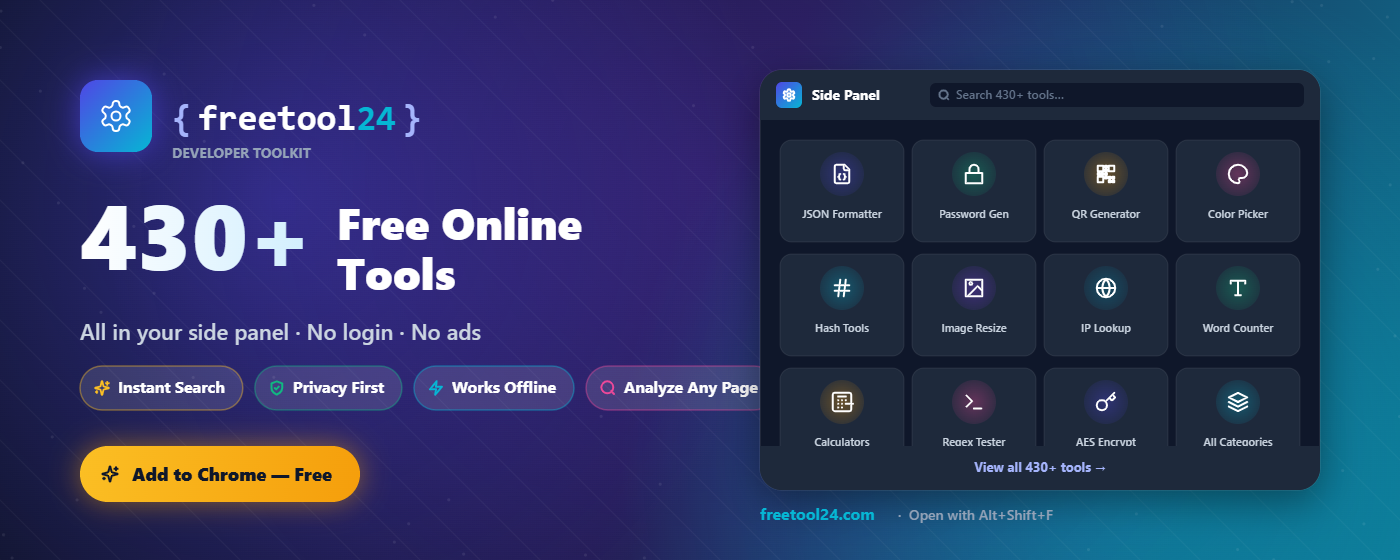
If you spend any time in the browser as a developer, writer, designer, or marketer, you already know the friction: opening a new tab, googling "free JSON formatter," wading through ad-stuffed pages, and finally pasting your data into a tool you don't fully trust. The FreeTool24 Chrome extension removes every step of that loop. Open the side panel, type two letters, and you're already using the tool.
What the Extension Does
FreeTool24 for Chrome brings the entire FreeTool24 catalog — over 430 free tools across 17 categories — into a persistent side panel that lives next to whatever page you're on. No tab switching. No context loss. No login.
You can launch it three ways:
- Click the FreeTool24 icon in your toolbar
- Press Alt + Shift + F to open the side panel instantly
- Type
ft+ space in Chrome's address bar to search 430+ tools straight from the omnibox
Every tool runs at freetool24.com — the same fast, ad-free, privacy-first platform — but the extension makes it feel like part of the browser itself.
The Headline Feature: Analyze Any Page
Right-click anywhere on a webpage and you'll see a new menu:
FreeTool24 → 🔍 Analyze this page
From there you can run any of these on the page you're looking at, with one click:
- 📊 Count words — opens the Word Counter prefilled with the page's main content
- 📖 Readability score — Flesch-Kincaid scoring on the article you're reading
- 🔠 Keyword density — top keywords and their frequency, ready for SEO analysis
- 🔗 Extract all links — every outbound link on the page, deduped
- 🎨 Extract colors — the dominant colors used in the design
- 📝 Convert page to Markdown — clean Markdown of the main article body
- 🖼️ Extract images (JSON) — every
<img>with alt, src, dimensions - 🧱 View JSON-LD structured data — see what schema.org markup the site exposes
- 🏷️ View page meta tags — title, description, OpenGraph, Twitter cards, headings
The extension extracts the data locally, opens the matching tool in a new tab, and prefills it. No data ever leaves your browser — extraction happens entirely on your machine.
Why a Side Panel?
Tabs are great for documents. They're terrible for tools. Every time you switch tabs, you lose your place, your scroll position, and your train of thought. The Chrome side panel solves this:
- It stays open as you browse — copy something, paste it into a tool, copy the result, all without leaving your current page
- It uses screen real estate that's normally wasted on widescreen monitors
- It persists state across navigations within the same window
- It works alongside the omnibox, not against it
If you've ever pasted a JSON blob into a formatter, then alt-tabbed back to your editor, then realized you needed to format another one — the side panel is the answer.
What's in the Catalog
The extension surfaces every tool from FreeTool24's library, organized into 17 categories:
| Category | Examples |
|---|---|
| Developer | JSON Formatter, Regex Tester, Base64, JWT Decoder, UUID, Hash Generator |
| SEO | Meta Tag Generator, Keyword Density, SERP Preview, Robots.txt |
| Text | Word Counter, Readability Score, Markdown ↔ HTML, Case Converter |
| Image | Resizer, Compressor, Color Extractor, Background Remover, HEIC→JPG |
| Merge, Compress, Split, JPG→PDF | |
| Security | Password Generator, AES Encryption, SSH Key Generator |
| Network | IP Lookup, Ping, DNS, Link Extractor |
| Calculator | Loan, BMI, Tip, Percentage, Unit Converter |
| Finance | Mortgage, Compound Interest, Currency, Crypto |
| Health | BMI, BMR, Calorie, Body Fat |
| Audio | Trim, Convert, Noise Remover |
| Video | Compress, Trim, GIF Converter |
| Time | Timestamp Converter, Time Zone, Date Diff |
| AI | Prompt helpers, writing assists |
| Games | Dice Roller, Coin Flip, Random Picker |
| Data | CSV ↔ JSON, YAML ↔ JSON, JSON Diff |
| Misc | QR Code, Color Picker, Lorem Ipsum |
Type any of these into the side panel's search box and it appears instantly — match highlighting included.
Privacy and Permissions
The extension requests two permissions: activeTab and scripting. Both are used only when you click an "Analyze this page" menu item:
- The extension reads the current page's text, links, images, or meta tags
- The extracted data is written to the destination tool tab's localStorage
- The tool opens with your data already filled in
No background tracking. No analytics. No data transmitted to any server. The extension never reads any tab unless you explicitly ask it to. Tools that don't need page data work entirely offline once loaded.
Who Should Install It
- Developers — JSON, regex, encoding, JWT, hash tools one keystroke away
- Writers — readability scoring and word counting on any article you're reading
- SEO specialists — instant keyword density, meta tag inspection, JSON-LD viewing on any URL
- Designers — extract a site's color palette in two clicks
- Researchers — pull every link or image from a page into structured output
- Students — calculators, converters, PDF tools without sketchy installers
Get the Extension
The FreeTool24 Chrome extension is free, open about its permissions, and ships with zero ads or tracking. Pin it to your toolbar, learn the Alt + Shift + F shortcut, and you'll wonder how you used to manage 12 bookmarked utility sites.
Install it from the Chrome Web Store and start using 430+ free tools without ever leaving the page you're on. No login. No ads. No catch.